Before this will work, you must have a number of scenery markers in place.
The Airport ID must be set.
There must be an Airport Boundary.
The Type of scenery must be set to Airport (even for a heliport).
The Field Elevation must be correctly set.
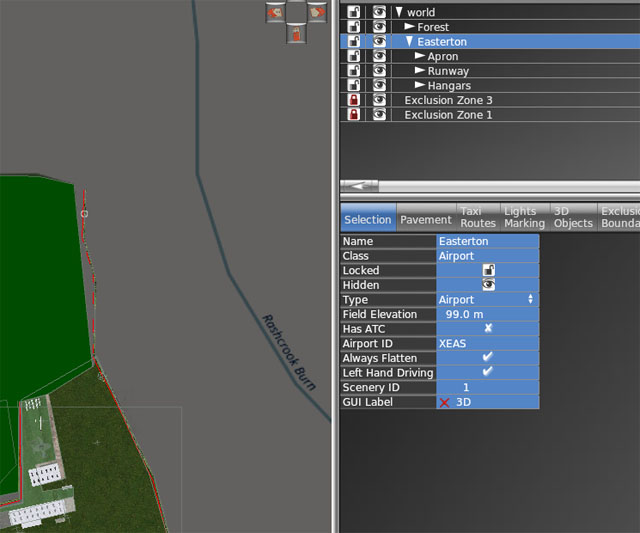
If you set Always Flatten, the ground within the airport boundary will be set to flat and the surrounding mesh will be adjusted to conform with the flat airpot area. The flat ground area will be set at airport elevation and the surrounding mesh triangles will be adjusted to smooth out the scenery. Note: if the elevation as too high, the airport will end up perched on and airport boundary shaped column. If it is set too low, the airport will be sunk in an airport boundary shaped pit.
Caution: If there is another flattened area set within the smoothing out zone, you will not be able to flatten the airfield using this method.
If you are creating a heliport with no runways and you flatten it, you will get a Missing Runway warning. That can be ignored.