Exclusions Independent of Airfields.
Occasionally, there will be an exclusion that needs to be applied to remove scenery independent of airports. For instance, if you want to remove a default oil rig, that can be done with an exclusion zone. This is just a scenery item with an exclusion zone and nothing else, placed at a specific point in the scenery load. This order needs to be set in the scenery_packs.ini file.
Add on airports
Default airports
Global Airports
< Independent Exclusions go here, below all airports.
Libraries and Landmarks
Ortho Scenery
< If the exclusion needs to be appled before ortho scenery, put it here.
Mesh
For example, to remove an unwanted Oil Rig, Create a WED scenery file called ExcludeRig and save it to Custom Scenery.
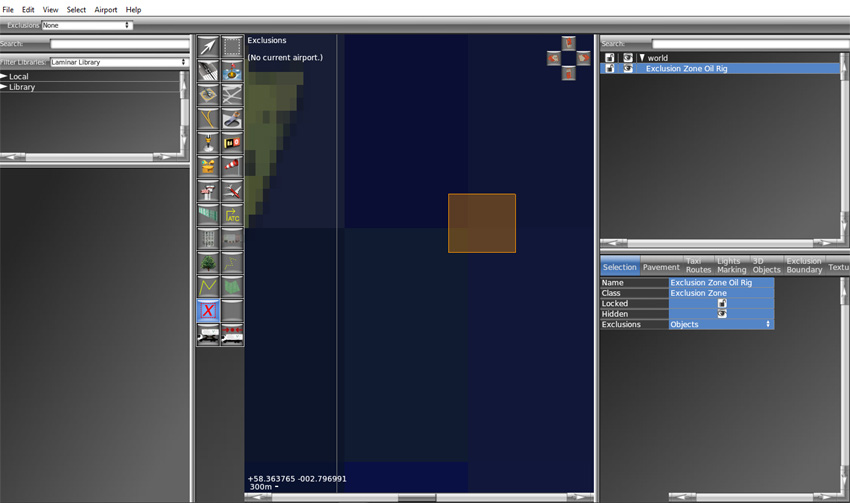
The exclusion zone needs to be placed broadly around the location of the Oil Rig and set to exclude Objects. In this case, the coordinates are:
58.154632 -2.804686 which is east of the Scottish mainland in the North Sea.
Save the file and run X-Plane to ensure that the rig is no longer there.
Another
option for large scale exclusions is to remove pylons from the Shetland
Islands. Using open street map, X-Plane inserts large steel
pylons where there are wooden electricity poles on the ground.
They look odd and affect some airports. I have attempted to
exclude them before, but it was not until Ryan Arthur contacted me about them and advised me about his method that I was able to exclude them.
The remedy was to use a large independent exclusion called ExcludeShetlandPylons and set it to Lines, Stings and Road Networks.
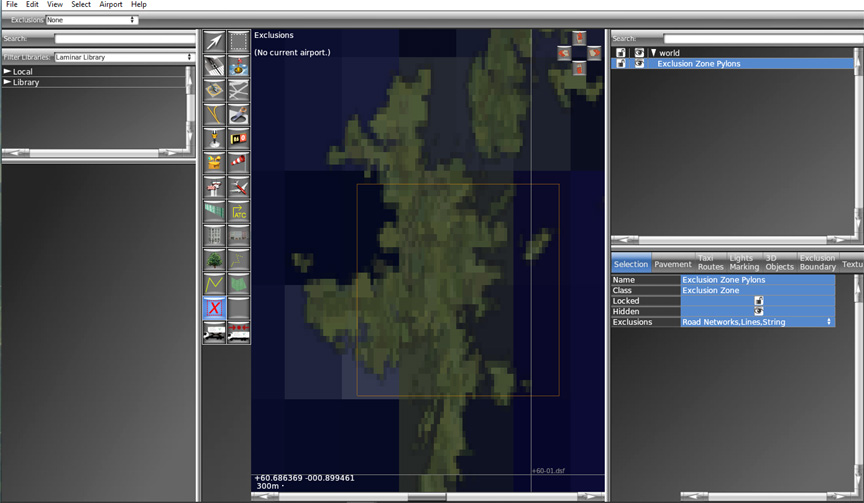
The exclusion for networks removes pylons and it also remover roads and other networks. That means you loose the open street map default roads in the process, so having Ortho Scenery with roads shown is essential here. All pylons will be removed under the exclusion zone, to the end of the constructed strings or lines, as will any other strings and lines. This exclusion can be placed below ortho, but it does work below airports with OrbX ortho.
If you want to remove pylons in a small area associated with an airport, you can downscale this exclusion.
Making any exclusion requires you to be aware of the classification(s) of the thing you want to remove. Objects, facades, forests, beaches, roads networks, lines, draped polygons and strings
.