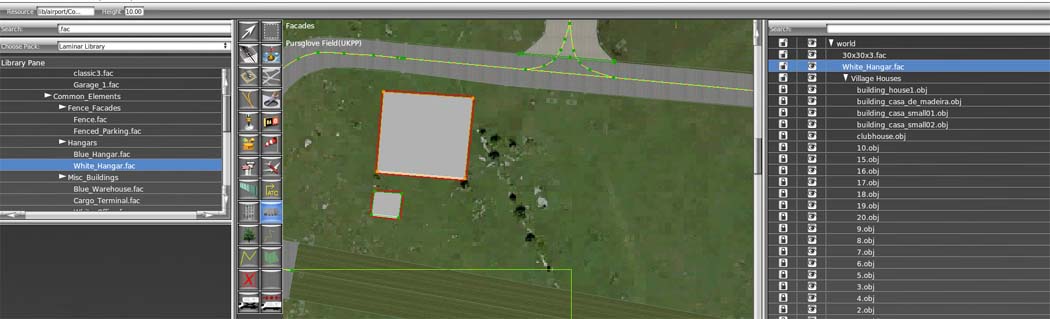
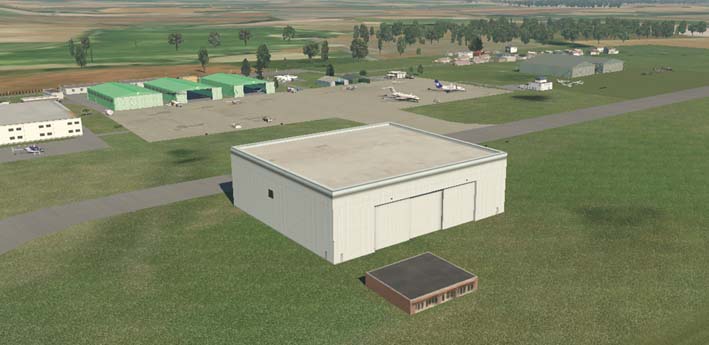
The facades can be re-sized and the textures will adjust accordingly, as shown below.
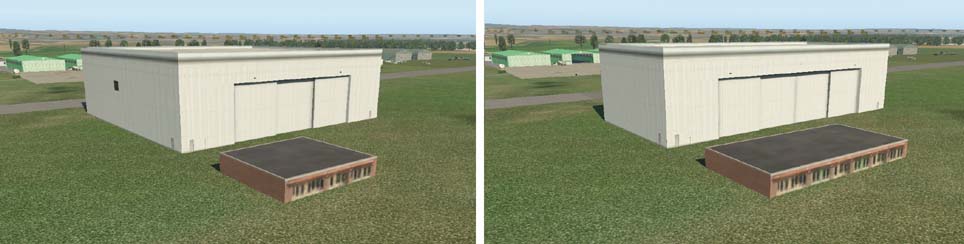
Here, the buildings are shown in two different ground plan sizes.Using these facade structure it is very easy to design convincing buildings for airport scenery. This is what designers refer to as "Lego" scenery.
Other structures can also be represented as facade files.

This representation shows a wooden fence and nerxt to it a small builing on a tarmac stand with Illumination. The .fac files available in library files are a quick and functional way of populating a scenery with buildings. Such airports can be exported to the XP gateway for inclusion in the Global Airports file which is installed across all users at XP updates. Custom designed scenery cannot be used in these types of updated.
It is well worth trying facades to add to your airport designs. A close match is possible with many international airports. However, there will be some querky airport buildings which cannot be made from library files alone.
Top Tips
Always check each facade addition on X-Plane before proceeding to the next addition. Refixing lots of changes can be a trial.
Facades can be overlaped to give additional effects.
Designing your own facades using X-Plane specifications. This requires some additional learning as the texture files need to be quite specifically designed. The text coding of a .fac file is more complex and needs to be precise. Here is an example of a .fac text file format for a typical building;
800
FACADE
TEXTURE skyscraper_2.png
TEXTURE_LIT skyscraper_2_lighting.png
RING 1
TWO_SIDED 0
LOD 20.000000 30020.000000
ROOF 0.287722 0.087036
WALL 11.000000 290.000000
SCALE 256.000000 256.000000
ROOF_SLOPE 1.000000
LEFT 0.000000 0.034792
CENTER 0.034792 0.063112
CENTER 0.063112 0.090456
CENTER 0.090456 0.118776
CENTER 0.118776 0.146120
RIGHT 0.146120 0.179323
BOTTOM 0.200806 0.245239
MIDDLE 0.245239 0.275513
MIDDLE 0.275513 0.308716
MIDDLE 0.308716 0.340942
MIDDLE 0.340942 0.372192
TOP 0.372192 0.546509