Creating Airport Scenery : Trees
Return
Trees
are seldom satisfactory in flight simulators. In X-Plane, many of
the trees look like painted cardboard cut-outs. Detailed trees
demand a lot of memory and processing speed, so the compromise does
give you a reasonable effect. In X-Plane 11, many of the default
trees glare out as false when they are seen at close quarters, so it is
worth looking for other library trees to help with a more realistic
effect. The more detailed the trees, the more demand will be put on the
computer loading - everything comes at a price on computers.
Tree object (.obj)
files can be placed like buildings. Some will show the whole
canopy in WED. Others will only show the position marker.
Trees can be rotated to show their best angle from a set
viewpoint.
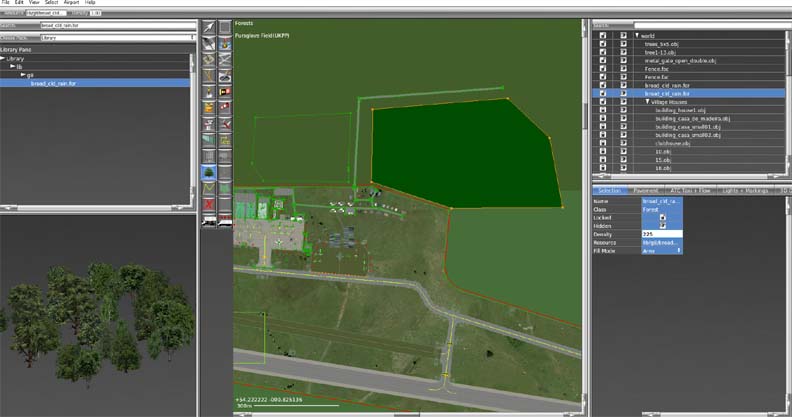
Forests are usually positioned as area blocks using forest (.for) files.
The trees appear in blocks and they are repeated at
intervals or randomly. They can be set to be on the line only, or
to cover an area. The density must be set appropriately for you
to see the trees on the ground.

Top Tips
Choose a type of forest appropriate for the geographical location and world climate zone.
If in doubt, set the density to 255, then reduce it gradually as required.
Composing a forest in blocks can vary the tree type and density within the forest.
Forest
density also depends upon general settings, so if graphics are set at
medium or low, the forests will look sparce, even in High
Definution (HD) or Ultra High Definition (UHD) scenery.