.
Go to Main Menu/Settings/Keyboard and search for pushback.
There are four default settings that need to be allocated keypress functions. My own preferece is shown below.
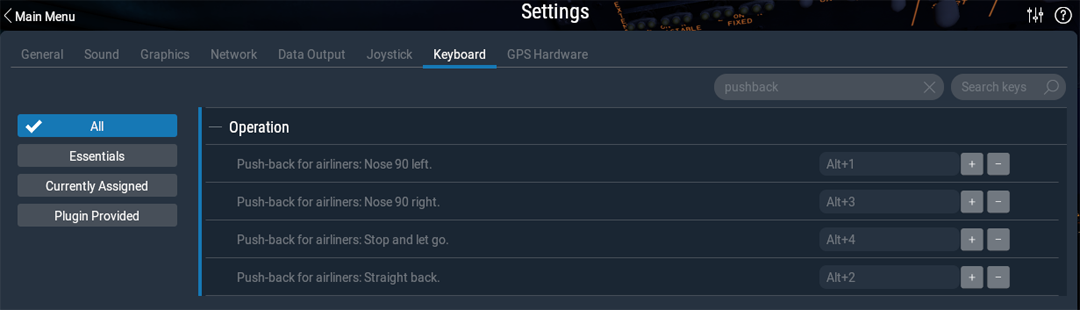
Just select the plus sign next to the function and press the keys you require. (if you select an allocated keypress, the system willl warn you).
Pushback nose left Alt+1
Pushback straight back Alt+2
Pushback nose right Alt+3
Pushback release and stop Alt+4
These are my prefered keypress options, but you can use whatever suits you.
NOTE: The function only works if you are at a Gate and the aircraft type and equipment seletion is set for your aircraft type.
If you require a pushback facility for aircraft that are not at specified gates, then you need to load a separate application software package to do the job. Here are some options to consider:
x-plane.org - ground-services-pushback-refueling