EGWC RAF Cosford
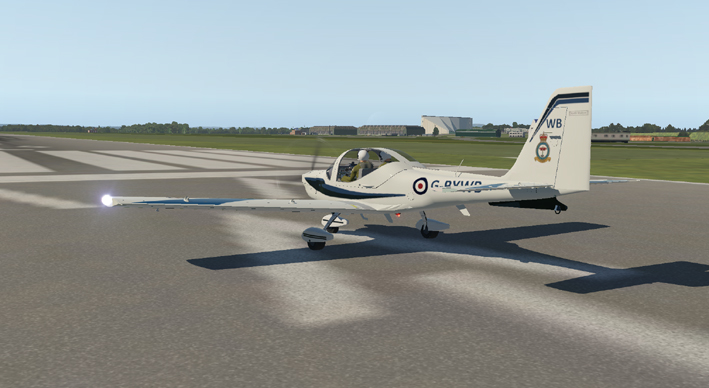

Cosford is the home of the RAF
Museum in the Midlands. There is an extensive collection of
aircraft on site and entry is free. Car parking costs a few
pounds, and there is a cafe and facilities on site for visitors.
RAF Cosford is an operational air base and it is separate
from the museum complex.
The museum has a restoration hanger which is only open to the public on
special event days, where historic aircraft restorations are undertaken
using professional and volunteer specialist staff. The site
is also home to many events and the occasional air show. This is the
site of choice for the UK Flight Sim meeting (the next being Flight Sim in October -
ticketed entry only).
This scenery is offered as a free
and editable X-Plane 11 model that is intended to enhance
the default or ortho scenery on that flight simulator. The
simple design is an overall impression of the airfield as it
is at present, using simplified custom made buildings and Library
Files. The Cold War Hanger is a very simple structure model,
intended only to stand out from a distance as a landmark structure.
An accurate representation of this building would be very
complex to design. Also, aircraft in the collections are not
currently available as Library Models, so substitutions have been made.
The user can edit this scenery using WED to change the
aircraft as better options become available.
Download the file to your chosen download folder:
EGWC_RAFcosford_XP11.zip
User
Agreement:
The
above airport scenery files are provided free to the person who
downloads them. By downloading these files, you are agreeing
to
use them on your own Flight Simulator only, and NOT to distribute them
or any parts of them or trade the files in any way. Other
people
must be directed to download the files from the website if they want to
use them. We reserve the right to discontinue any scenery
that
has insufficient downloads.
Additional
files
To
run the scenery correctly, you will need some additional Library Files
in your Custom Scenery folder. The ones used for these
sceneries
are listed on the website and include:
Open Scenery X; The Handy Objects Library; MisterX Library; CDB Library; world models; ruscenery;
R2 Library; flags of the world; 3D people library; People LIB; NAPS library; THE FRUIT STAND Aircraft Library;
OrbXLib:
Editing
the files
Each scenery includes the earth.wed.xml
file that can be edited in World Editor (WED).
There are some scenery element folders in WED that
can be removed if unwanted.
Default SceneryExtra
- is for use with default scenery to give local buildings seen from the
airfield. These buildings may clash with Ortho-scenery
elements. In this case, this is the missing railway
embankment between the RAF sports complex and the Museum and Airfield.
OtherSceneryAddon
- contains elements of local landmarks to replace or add to those on
Ortho-Scenery. In this case it is the Musaeum and airfield
grass that conceals ortho scenery elements.
Aircraft / MuseumAircraft - contain parked aircraft elements.
Exclusin Zone 1/7 - are included to remove roadway and forest elements from default and ortho scenery and to exclude inappropriate default and ortho buildings.
For some ortho-scenery, the position of some elements of airports may be different. Including an editable file with this scenery allows the user to adjust the scenery to fit minor mismatching with different types of add on scenery elements.
Top Tip: Keep the original scenery file backed up on a separate drive. If you then edit the file and want to go back to the original, you will not need to re-download it.