EGPA Kirkwall
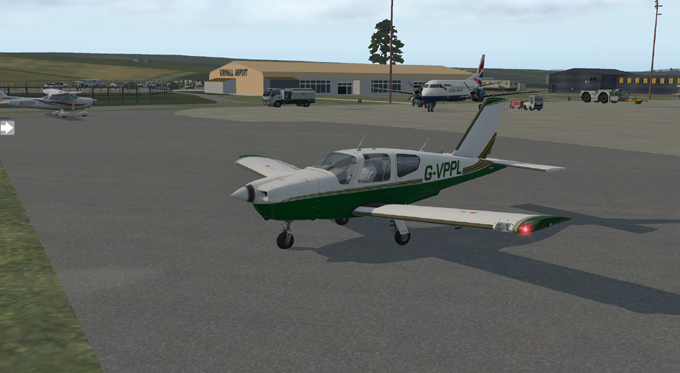
RAF Grimsetter was
commisioned in 1940 to defend the naval harbour at Scapa
Flow. The station was handed over to the Royal Navy in 1942
when it became
RNAS Robin. After the war, the airfield was put into care and
maintainance and was
handed over to the Ministry of Civil Aviation in 1948.
In 1986, Kirkwall was assigned to Highlands and Islands Airports and
commenced civilian flights around the North of Scotland and across to
Norway.
The main operators being FlyBe and Loganair.
A new terminus building was added this century, the control tower was
re-built and the finctional Nissen huts, hangers and runways were
refurbished.
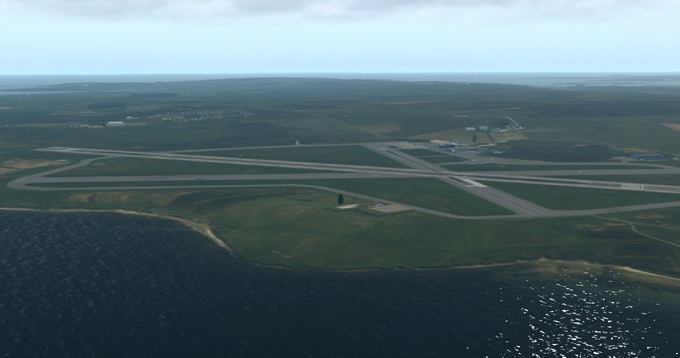
This scenery represents the Airport in 2015. It also includes
the two RNAS T2
Hangars, though they had been mostly demolished at this time.
Runway 09/27 3800' is the primary runway for commercial
flights
Runway 15/22 1800' is used for small aircraft
Download the file to your chosen download folder:
EGPA_Kirkwall_XP11.zip
User
Agreement:
The
above airport scenery files are provided free to the person who
downloads them. By downloading these files, you are agreeing
to
use them on your own Flight Simulator only, and NOT to distribute them
or any parts of them or trade the files in any way. Other
people
must be directed to download the files from the website if they want to
use them. We reserve the right to discontinue any scenery
that
has insufficient downloads.
Additional
files
To
run the scenery correctly, you will need some additional Library Files
in your Custom Scenery folder. The ones used for these
sceneries
are listed on the website and include:
Open Scenery X; The Handy Objects Library; MisterX Library; CDB Library; world models; ruscenery;
R2 Library; flags of the world; 3D people library; People LIB; NAPS library; THE FRUIT STAND Aircraft Library:
Editing
the files
Each scenery includes the earth.wed.xml
file that can be edited in World Editor (WED).
There are two or three scenery element folders in WED that
can be removed if unwanted.
Default SceneryExtra
- is for use with default scenery to give local buildings seen from the
airfield. These buildings may clash with Ortho-scenery
elements.
OtherSceneryAddon
- contains elements of local landmarks to replace or add to those on
Ortho-Scenery.
Aircraft - contains parked aircraft elements for larger airfield - may be absent for some small airfields.
For some ortho-scenery, the position of some elements of airports may be different. Including an editable file with this scenery allows the user to adjust the scenery to fit minor mismatching with different types of add on scenery elements.
Top Tip: Keep the original scenery file backed up on a separate drive. If you then edit the file and want to go back to the original, you will not need to re-download it.