If an object is not found, a red question mark ? will appear on the WED display. This will not happen if the scenery is missing its earth.wed.xml file. If a larger component like a .pol or .for file or texture is missing, then a big red patch will appear on the scenery in the X-Plane rendition. Such errors are always flagged in the Log.txt file for the last flight.
.
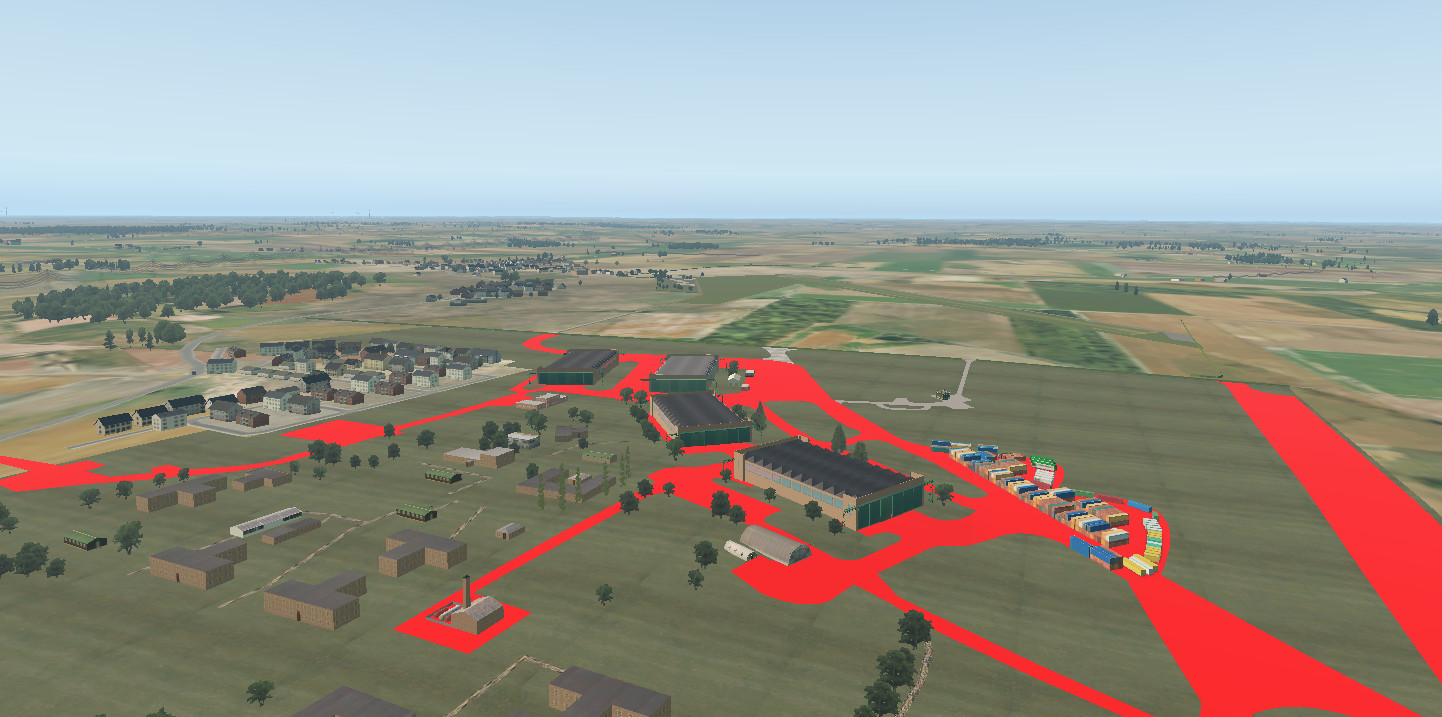
This is the red colour that flags a missing element of the scenery.
In this case - polygon texture files.

It can also be seen that other textures, such as roadways that are added as line textures did not show up as red in the scenery, but appear once the missing files are available.
It is wise to keep all library files up to date. The Laminar Research library files used for default and Gateway airports will be checked and updated whenever X-Plane recieves and update. Custom libraries that are installed to enhance Add-On secenery need to be checked every time you add a new scenery. X-Plane will warn of any missing components at load and you can add or update the libraries as required.