|
General Requirements Each X-Plane object requires a single image file containing all of the textures for that object. To use two image files you must create two different object files. When
creating a texture image, the pixel size is important.
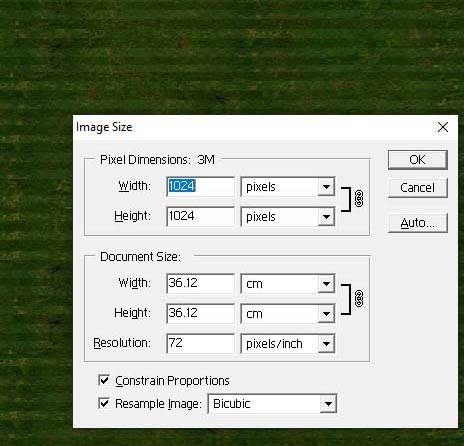
The texture shown here is a .png file with a
pixel setting of
1024 x 1024.
This gives a file size for this image as 3
megapixels - quite a large file giving good detail.
Such a
file is OK for raising the detail in one aspect of scenery, but too
many texture files of this size can significantly impact on frame rate.
Caution with file sizes needs to be exercised in scenery
design. |
|
Pixel sizes for text images matter in X-Plane. If your image does not conform to the size standards, it will not load correctly. Were wrap-around texture is used, an incorrectly sized image will wrap with a black border, giving black lines or grids across the object being textured.
Texture files must conform to the "power of 2" rule : 1; 2; 4; 8; 16; 32; 64; 128; 256; 512; 1024; 2048; 4096; 8192; etc.
Clealy
anything above 2048 is going to impose a load penalty. 64 x
64 is fine for basic colours. 1024 x 1024 is fine for most
textured images.
Texture sizes that conform to the standard are:
| 128 x 128 512 x 128 1024 x 128 2048 x 128 |
128
x 512 512 x 512 1024 x 512 2048 x 512 |
128
x 1024 512 x 1024 1024 x 1024 2048 x 1024 |
128
x 2048 512 x 2048 1024 x 2048 2048 x 2048 |
The closer you are to 128 x 128, the smaller the resulting texture file will be. For most practical purposes 512 x 512 is a good texture file size.
2048 x 128 could be used to texture a whole runway. 512 x 1024 would work for something that required a long and complex bit of texture.
If the whole of the texture image is covered in colour it will default to colouring one side of an object surface. Where a transparent area is present on the textured image, it will default to covering both sides of an object surface (even if only one side is needed to be textured).
To save on load time and overall folder size, you can use a single texture file for several object files.