Adding Aircraft - all new aircraft must be X-Plane (your version) compatible and unzipped to the base folder before you add the file to the Aircraft folder. You can group your individual aircraft folders into other folders like Airliners; General Aviation; Helicopters; Gliders; etc. You can also remove aircraft folders if you decide you do not need them.
Each aircraft should be backed up elseware on your computer with any activation codes or instructions.
Always consult the ReadMe files on an aircraft model before installing it. There may be improtant instructions to ensure that all works well.
Each add on aircraft, Freeware or Payware will come in a folder (usually zipped) which needs unzipping and adding to the X-Plane Aircraft folder in the X-Plane file. Aircraft can be put into a subfolder if you want to group them by designer or by aircraft type.
Below is a typical aircraft folder for the Carenado version of the Cessna 337.

This folder has been placed in the Aircraft folder within a subfolder called Caranado, where all of the aircraft purchased from this supplier are kept. X-Plane will find the files OK for aircraft when placed in this way.
Activation code: Some payware aircraft have an activation code which needs entering on first use. This often required a reboot of X-Plane. The activation code is intended to stop pirate copies. Keep this code safe in case you need to re-install the aircraft.
Additional files: Some aircraft come with extras which need adding to other X-Plane folders. Check the instructions, or ReadMe files that come with the aircraft.
XP-11.50 and upwards runs using Vulkan Drivers. Some earlier aircraft designs will run with Vulkan, but many will not work correctly. It is important to ensure that you have an aircraft that is designed for your version of X-Plane.
Adding Liveries: You may find extra colour schemes for an add on aircraft, or a default aircraft. These files need to be place in the specific aircraft folder called liveries. This can be seen in the aircraft folder contents shown above.
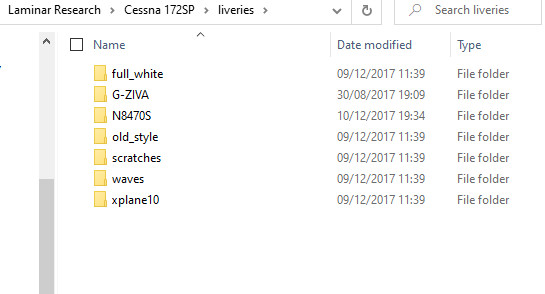
You must have a base model of an aircraft in order to install a livery. Check out the internet to find suitable liveries - They will all be specific to one base model. Also, some designers provide a blank livery which you can copy and paint in your own design. There are on-line tutorials if you want to use this skill.